Dashcam Simulator블랙박스 시뮬레이터한국어

The dashcam moment, from the driver’s seat

That moment.What would you do?

Drive an ordinary road until something happens without warning, then steer or brake your way through it. A driving simulation game with a steering wheel and pedals, three mirrors and a replay of the choices you just made.

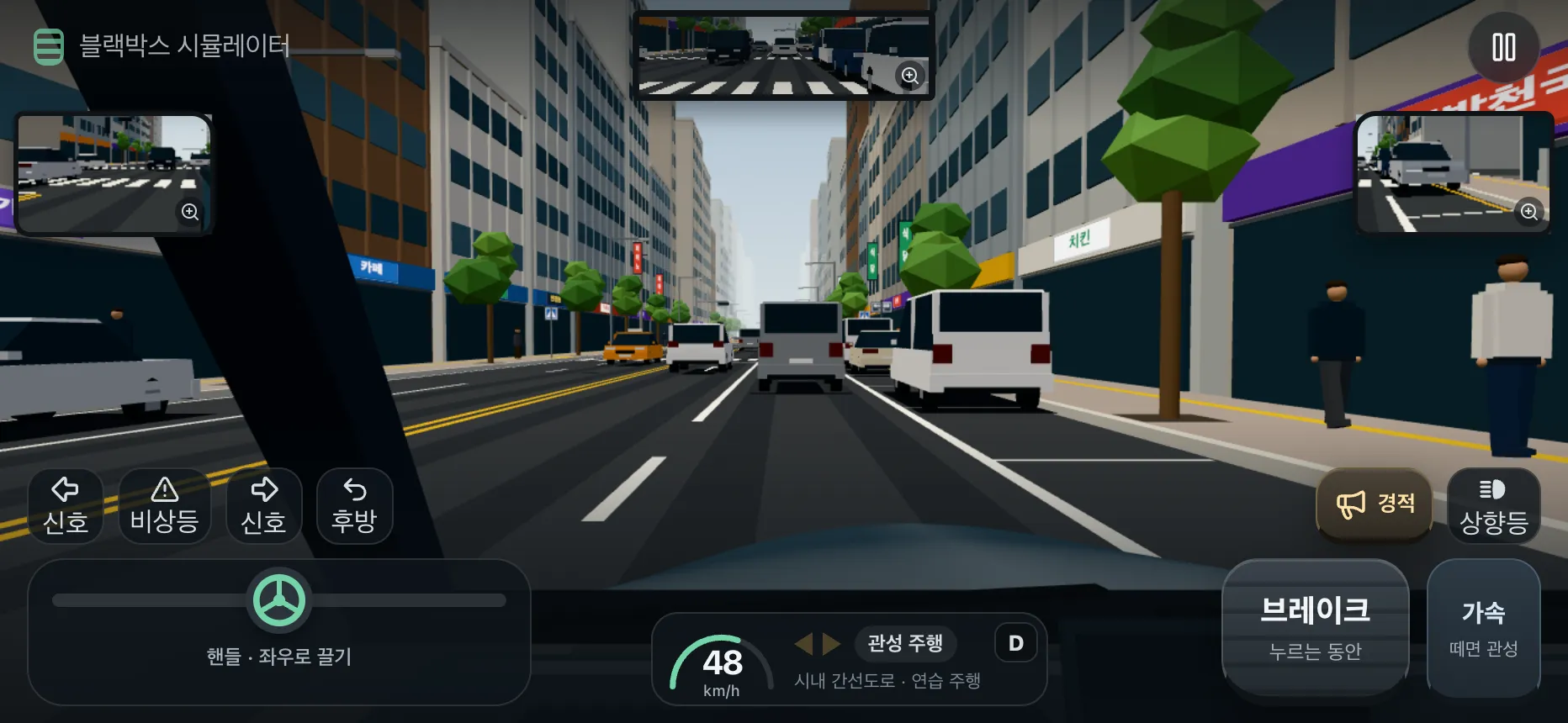
Dashcam Simulator gameplay: a driver’s-seat view of a city arterial road with a rear-view mirror at the top, side mirrors on both sides and steering, brake and accelerator controls at the bottom
Actual game screen with its Korean interface · captured from a development build. A simulation made with virtual vehicles and roads; it may change before release.

Incidents

The moments you’ve seen on dashcams,now you drive them.

Hazardous moments you could meet on Korean roads, rebuilt as playable scenes. Slow down early or steer when you notice the first cue.

  1. Cut in, then brake

    A car in the next lane moves in almost as its indicator starts, then slows down right in front of you.

  2. A pedestrian out of view

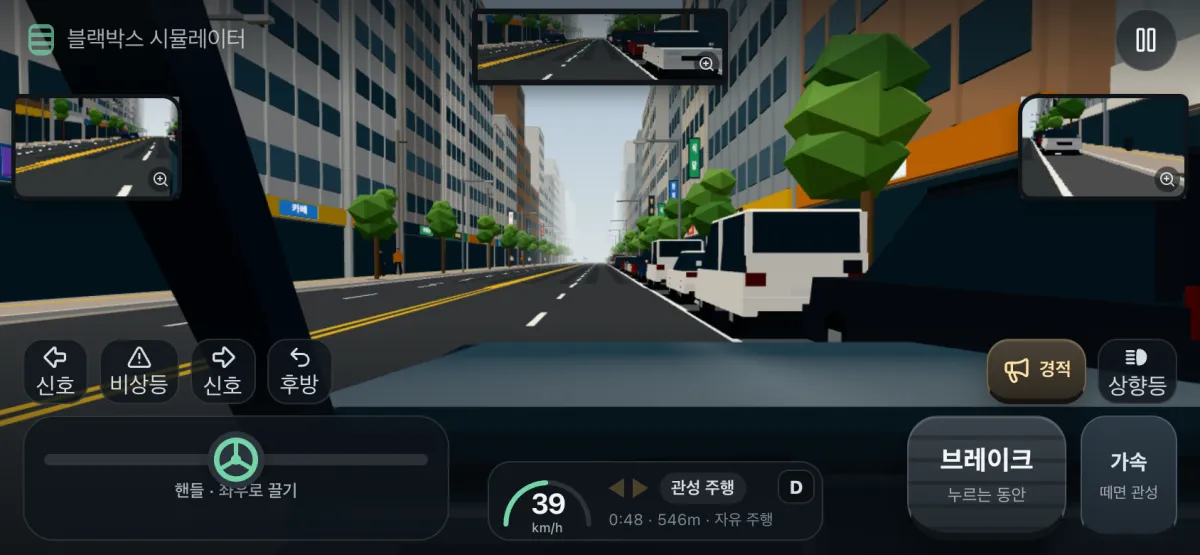
    Someone hidden by a van parked at the roadside walks out between the vehicles.

  3. Crossing at the intersection

    As you enter the intersection, a car from the side road cuts across your path.

  4. A car closing from behind

    Stop hard for a blocked road and the car following closely may not stop in time. Following drivers in the game have reaction times and braking limits, so how and when you stop changes the outcome.

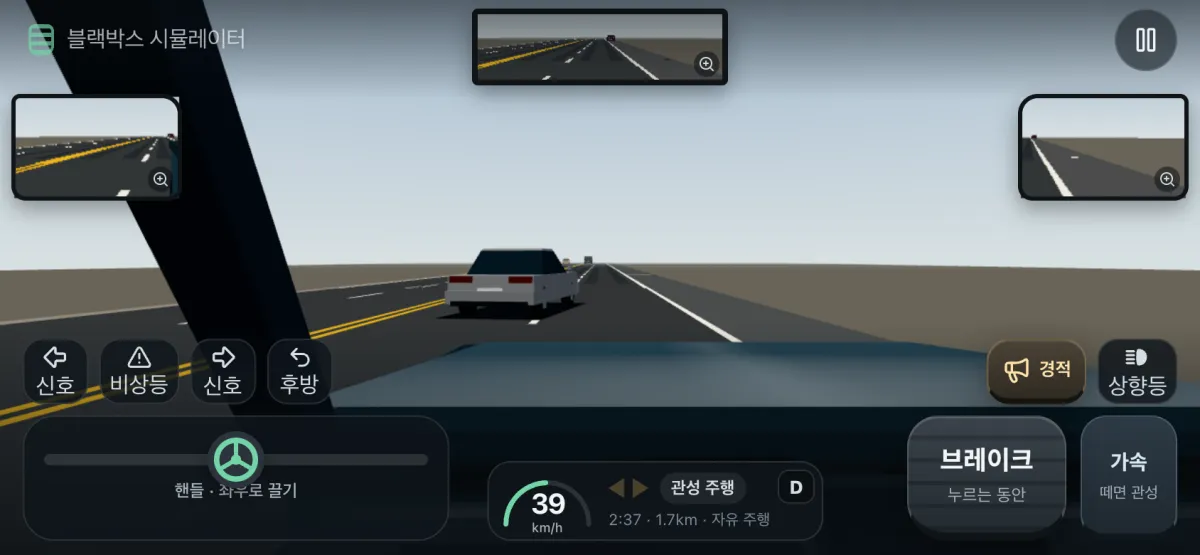
Game screen: a car from the left lane driving right in front of the player’s car
A cut-in · actual game screen, Korean interface (free driving)
Game screen: a shop-lined city street with white vans parked in a row on the right roadside
Vans parked along the roadside · actual game screen, Korean interface (free driving)

More moments on the road

  • Sudden stops and chain braking ahead
  • Cars pulling or reversing out from the roadside
  • Oncoming cars crossing the centre line
  • Motorcycles and bicycles filtering between lanes
  • Falling or sliding cargo
  • Railway crossings, work zones and roundabouts
  • Rain, snow, night driving and glare

Some incidents were designed from short descriptions of publicly reported cases, with newly authored places, speeds and movements. They do not reproduce the original footage, which was not viewed, and values the descriptions do not state were chosen for the game.

Modes

Two ways to drive

Free driving

An ordinary road that keeps going

Keep driving an ordinary road while incidents come one after another. No result screen interrupts between incidents, and a collision ends that drive.

  • Stop whenever you like and see the result
  • Replay each incident you passed
  • Drives saved on this device

Incident practice

Pick one scene and repeat it

Choose a single incident and drive the same situation again and again. Find incidents by type and place, such as vehicles ahead, pedestrians, side entries, oncoming traffic, two-wheelers and cargo.

  • Find incidents by type or place
  • Drive the same situation again
  • Read the situation notes of each incident

Cockpit

A wheel, two pedalsand three mirrors

Hold your phone in landscape: steer with your left hand and use the pedals with your right.

Steering
Drag the steering pad on the left to turn.
Brake · Accelerator
They work while you hold them; release the accelerator to coast down.
Three mirrors
The rear-view mirror and both side mirrors show the same moment; tap one to enlarge it.
Indicators · Hazards · Look back
Use the turn indicators and hazard lights, or look over your shoulder.
Horn · High beam
The horn sounds the moment you press it, and the high beam can be switched on.

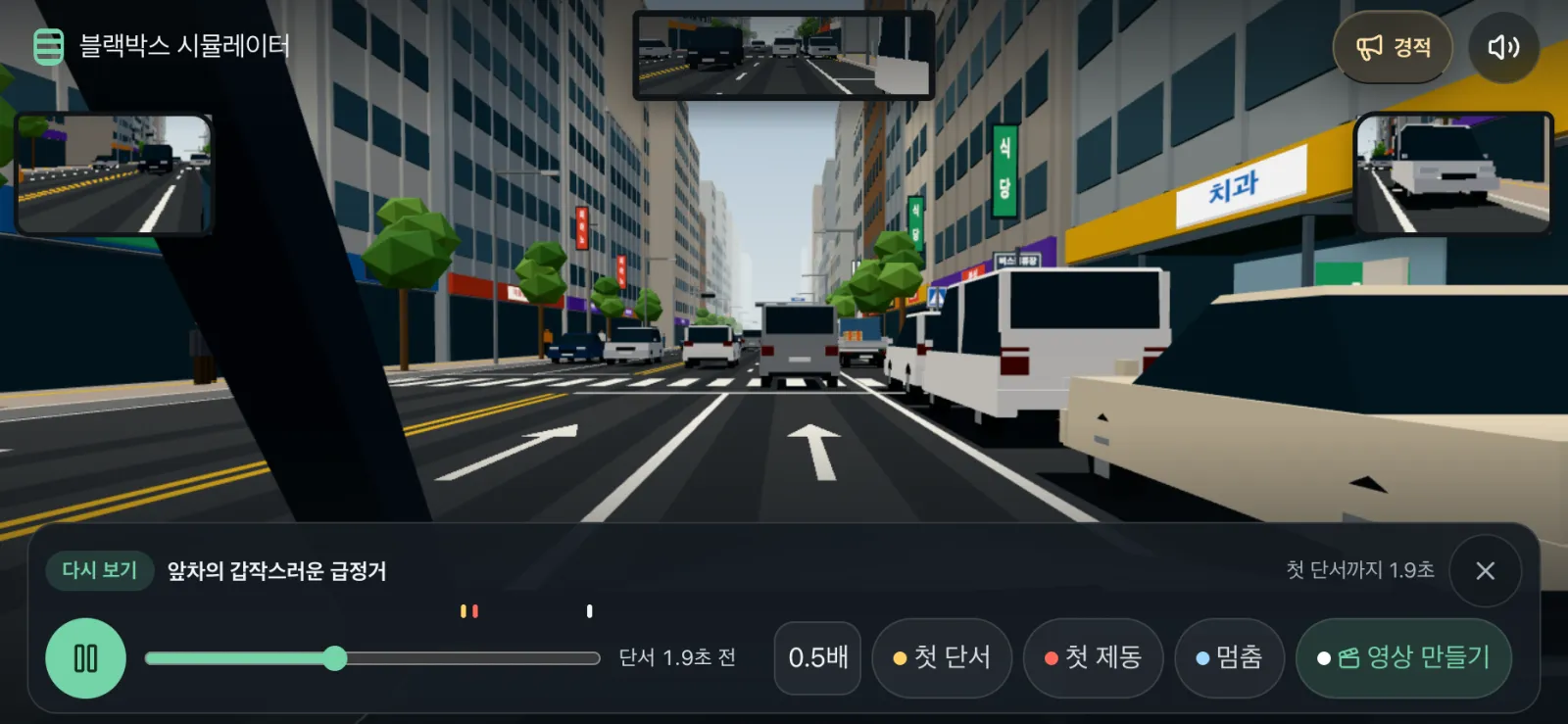
Replay

Watch it again.See your choices.

Rewind the scene from the result screen, slow it to 0.5×, and compare when the first hazard cue appeared with when you braked.

Replay screen: a result view with First cue, First brake and Stop buttons above the playback bar, a 0.5× speed button and a Make video button
Replay · actual game screen, Korean interface
  1. First cueWhen the first hazard cue appeared on screen
  2. First brakeWhen you first pressed the brake
  3. StopWhere the car stopped or the scene ended

You can also turn a replay clip into a video to save or share. Support depends on the device and platform.

How to play

  1. Choose free driving or incident practice in the app.

  2. Drive as usual, and when you notice a hazard, brake or steer to avoid it or stop.

  3. Look back at your inputs in the result and the replay.

Platforms

Where can I play?

Dashcam Simulator is being prepared for release in the Toss app and as iOS and Android apps. This website only introduces the game, so it cannot be played on the web.

  • Toss (Apps in Toss)Coming soon
  • App Store · iOSComing soon
  • Google Play · AndroidComing soon

Installation links will appear here once they have been verified as public.

FAQ

Frequently asked questions

Can I play on the web?

No. This site only introduces the game. It is being prepared for the Toss app and as iOS and Android apps.

Does it show real crash footage?

No. Every scene is a new simulation made with virtual vehicles and roads. Some incidents were designed from short descriptions of publicly reported cases, but the original footage was not viewed or reproduced.

Does it judge my driving or who was at fault?

No. Results are game records only. They do not assess real driving ability, stopping distance or fault in a crash.

Where are my records kept?

Drives are saved on this device. There is no sign-up or sign-in, and records or replay videos leave the device only when you choose to share them.

When will it be released?

No release date has been announced. Links will be added to the platform status on this page once each release has been verified as public.